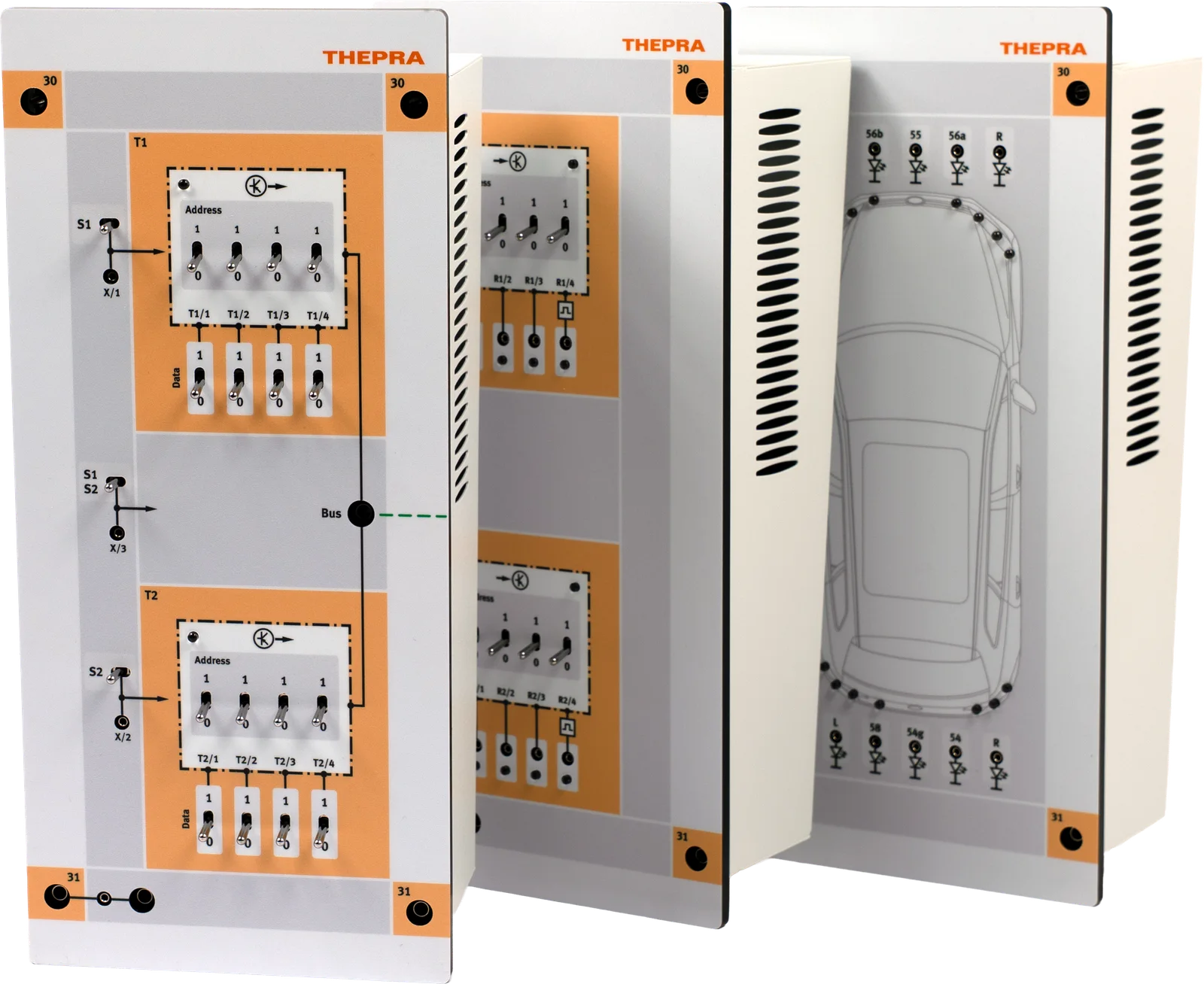
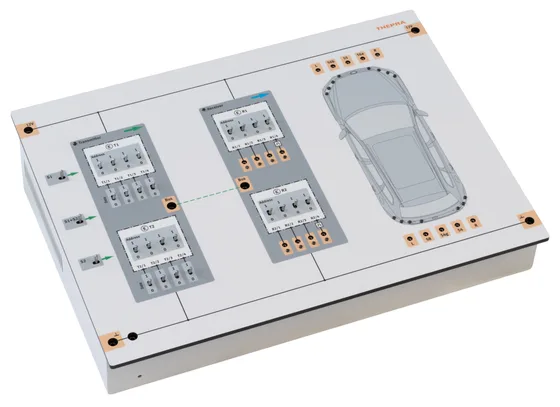
TP-Lab Serial Communication 4.0 — Front panel with transmitter and receiver units and a printed vehicle, shown upright against a glowing background
Generation 4.0 › Networks & Bus › TP-Lab Serial Communication 4.0
Generation 4.0 · Art. No. 12 031 150

The bus becomes visible.
Bit by bit.

Set the address, compose the message, press the button—and the light comes on in the vehicle shown in the illustration. Trainees manually send signals that a control unit would otherwise send in milliseconds. Anyone who wants to can generate a collision and observe on the oscilloscope what happens on the line.

4bit Address · set manually
15 LEDs in the printed vehicle
13 Exercises · in 12 topic blocks
330min Exercisestime · plus E-Learning
Power Minute · 60 seconds

The trainer in one minute.

What the trainer does in class — shown in a minute, with sound. Subtitles can be switched on in the player.

Engineering Core

Address, Message, Line. All done by hand.

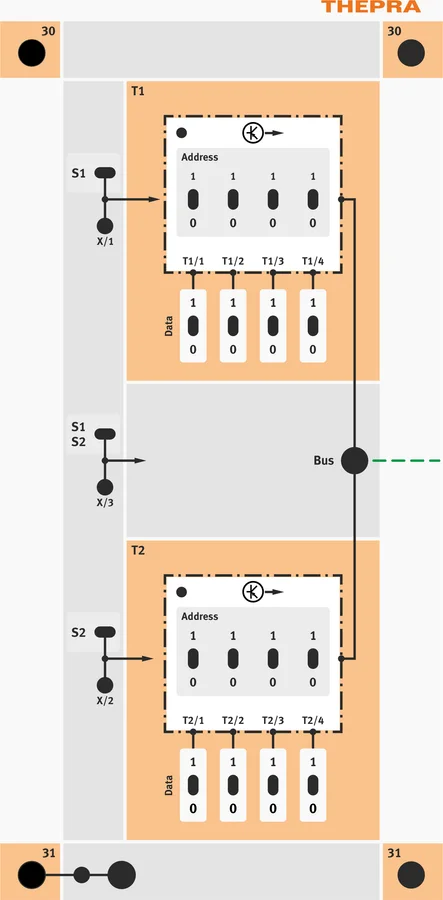
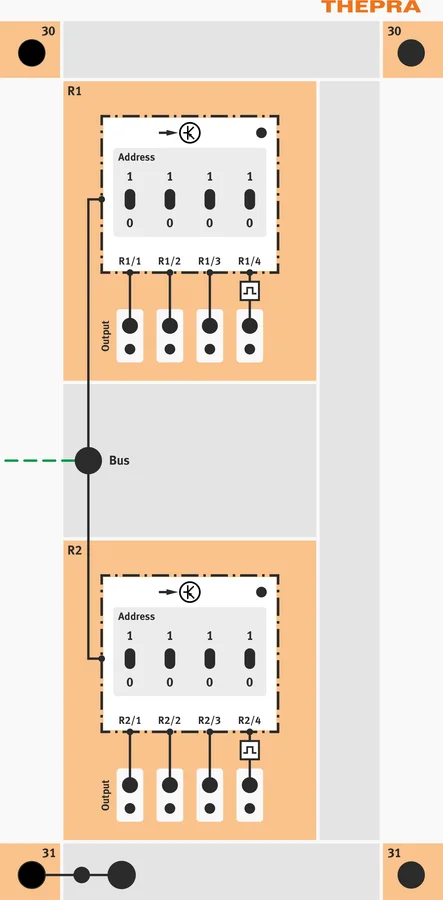
Transmitter and receiver units are assigned their 4-bit addresses via DIP switches. The message is set in the same way—four freely definable bits. At the push of a button, it is transmitted over the bus line. The indicator LEDs show what is received; the oscilloscope shows what is happening on the line.

  • check_circle 16 address switches · 8 data switches · 3 send buttons
  • check_circle Receiver units, each with 4 indicator LEDs and 4 outputs
  • check_circle 15 LEDs in the printed vehicle — fog, turn signal, low beam, reverse, high beam, brake
  • check_circle Signals on the bus line can be measured using a standard workshop oscilloscope
  • check_circle 16 connectors 4 mm and 23 connectors 2 mm in safety design
  • check_circle 3 input jacks for external transmitter — only when used with Art. No. 12020180
TP-Lab Serial Communication 4.0 — the three units—transmitter, receiver, and vehicle—side by side Art. No. 12031150
Fundamentals Lab · Learning situations

Drei Systeme. Zahlreiche Lernsituationen.

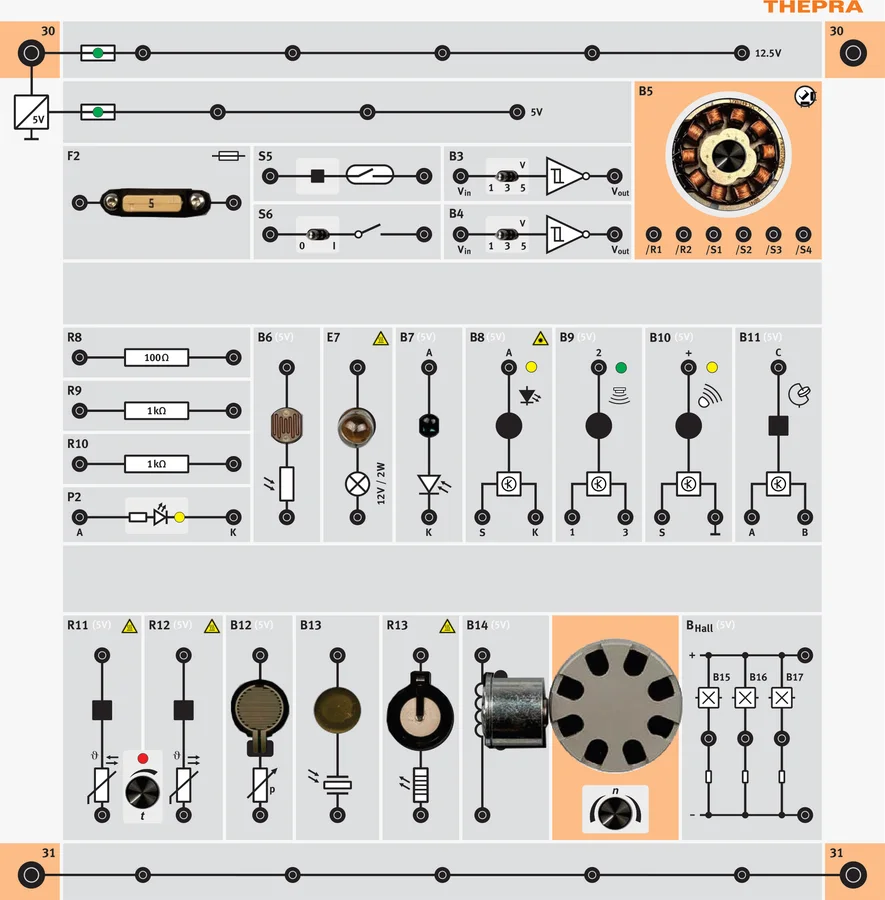
Sensors, bus and actuators on one supply. Every trainer can be measured on its own, and all of them talk over the same bus — one learning situation after another comes out of the combination. Pick one.

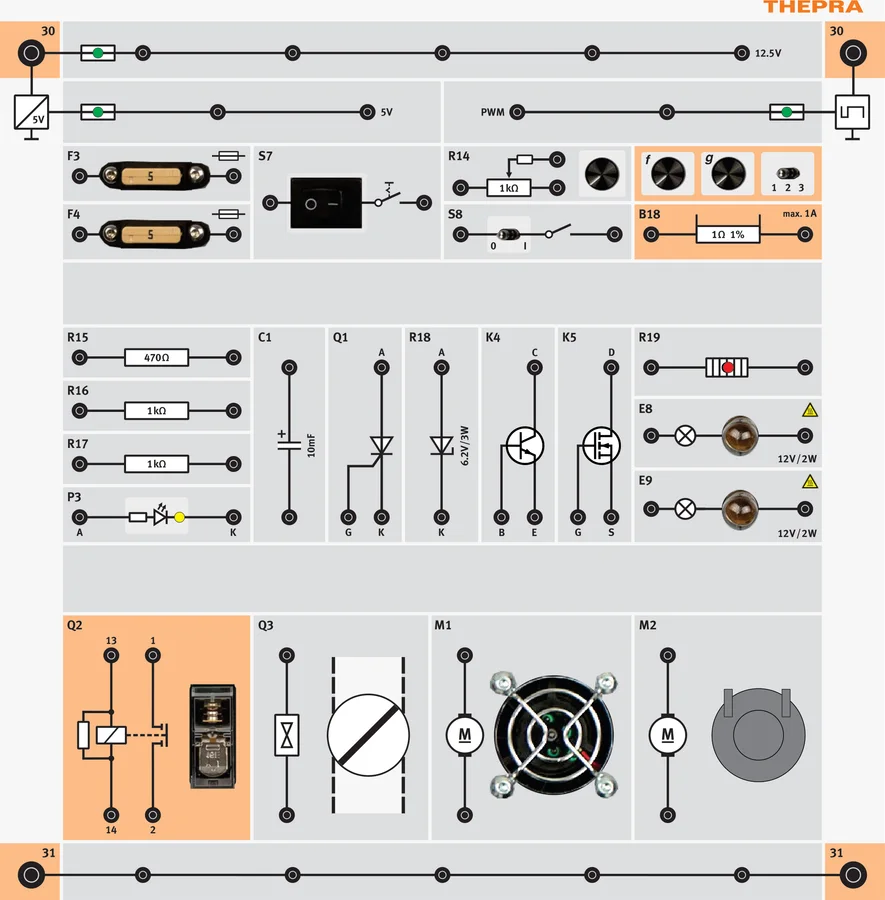
The temperature sensor sends a signal to the transmitter, the transmitter sends the message via the bus to the receiver—and the receiver turns on the cooling fan via the transistor.

  1. Sensor reports Temperature sensor NTC / PTC detects heat
  2. Transmitter ECU sends The transmitter ECU sends the message to the bus
  3. Receiver ECU processes The receiver ECU evaluates the address
  4. Actuator responds Radiator rotor starts up — controlled by the switch
  1. TP-Lab Sensor Trainer 4.0 — front panel from above Sensors
  2. Serial Communication 4.0 · Transmitter — front panel from above Transmitter
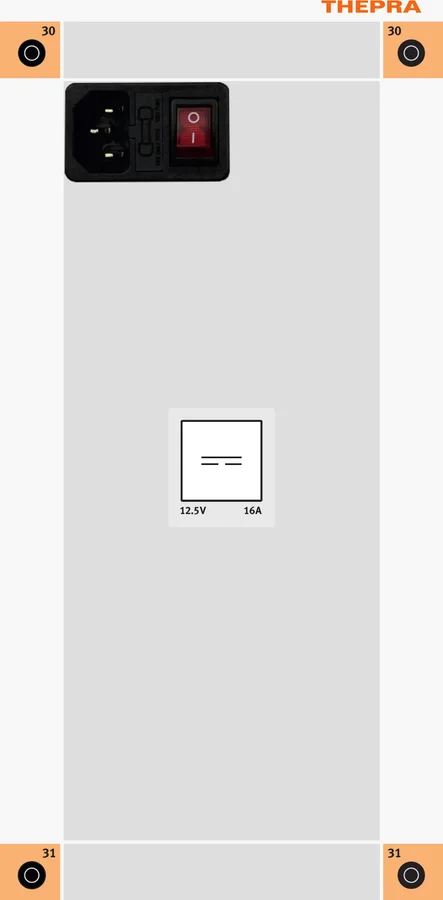
  3. TP-Lab Power Supply TS15 — front panel from above TS15
  4. Serial Communication 4.0 · Receiver — front panel from above Receiver
  5. TP-Lab Actuators Trainer 4.0 — front panel from above Actuators
  6. Serial Communication 4.0 · Vehicle — front panel from above Vehicle

Drag a trainer to a different position — or use the arrows.

What Makes This Trainer Special

Bus systems fail when dealing with abstract concepts.

Addressing, protocol, collisions—all invisible, all fast. This trainer slows it down to a human pace.

USP 01 pin

Binary and hexadecimal
at the switch.

The exercises start with binary numbers and lead to hexadecimal values—not on paper, but on the toggle switches that actually make up the message. Suddenly, the change in number system has a purpose.

USP 02 alt_route

Collision
at the push of a button.

Two transmitters at the same time—and the question of what happens then. Task 9 turns a textbook concept into an observable phenomenon on the line.

USP 03 directions_car

The vehicle
on the front panel.

Fifteen LEDs in the printed vehicle translate every message into a light effect. “Address A, Data 4” becomes a visible fog light—and a driving situation becomes a sequence of messages.

Technical Data

Everything in detail.

01

Communication

Address width4bit
News Coverage4bit
Address switch16 ×
Data Switch8 ×
Transmit button3 ×
02

Display & Connections

LEDs in Vehicles15 ×
4 mm connectors16 × · Safety design
2 mm connectors23 × · Safety design
Transmit Inputs3 × · only with 12020180
MeasurementOscilloscope · Standard workshop model
03

Electrical Specifications

Power supply10–15V DC / 1–3 A
Recommended power supplyTS15 · 12.5 V DC / 16 A
Sound pressure level< 70dB (A)
04

Mechanics & Conformity

Dimensions per unit W × D × H3 × 133 × 297 × 110mm
Weight, approx.3.5kg
form factorTable · DIN-A4 Support Frame
Conformity
In the learning path · Networks & Bus

Where this trainer is located in the path.

It serves as an introduction to bus systems: 80% of the tasks are at the Fundamentals level. After that, students move on to diagnostics on a real network.

Curriculum

From the binary number to the driving situation.

Twelve thematic units cover topics ranging from number systems to individual messages to complete light functions—and conclude with the oscilloscope. Includes a digital curriculum and the accompanying E-Learning.

  • check_circle V1 / V5 · Binary Numbers and Hexadecimal Values
  • check_circle V2 · Basic Functions of the Transmitter and Receiver Units
  • check_circle V3 / V4 · Transmit to one or two receivers
  • check_circle V7 / V8 · Fog Light and Turn Signal Control
  • check_circle V9 · Collision on the bus line
  • check_circle V10 · Low beam, reverse, high beam, and brake lights
  • check_circle V11 · Driving Situations as a Sequence of Messages
  • check_circle V12 · Oscilloscope Analysis of the Bus Line
Generation 4.0

What Generation 4.0 does differently.

The changes compared with the TP-Lab Bus Fundamentals 2.0 — point by point, straight from development.

  • The transmitter, receiver, and vehicle are now three separate units—which can be combined in any way
  • The transmitter's inputs X1 through X3 also accept sensor signals, not just those from the handheld transmitters
  • More power at the receiver's outputs—it also drives the actuators in the actuator box
  • LED on both transmitters and both receivers
  • The vehicle box can also be used with other trainers, such as the Electrical Trainer
  • Connections on the left and right sides of each speaker
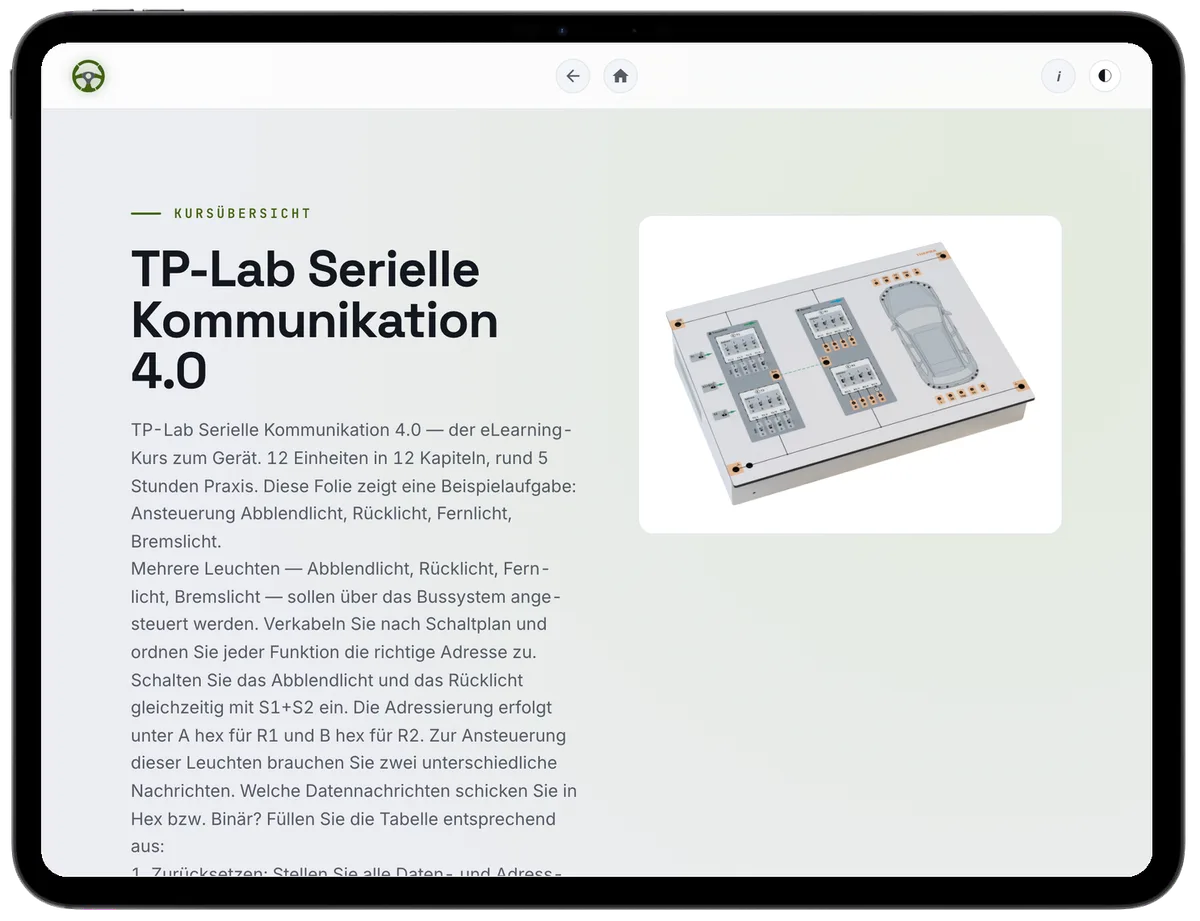
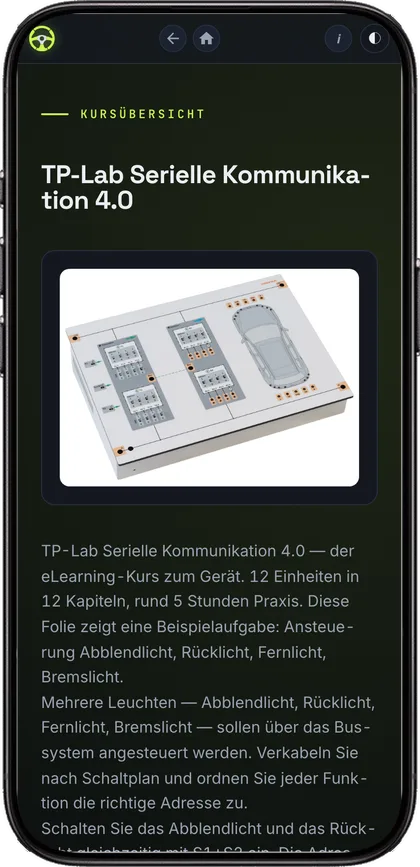
TP-Lab Serial Communication 4.0 — der Kurs auf TPGO, hier eine Aufgabe auf dem Tablet Derselbe Kurs auf dem Smartphone
E-Learning · TPGO

The course for the trainer.
On every screen.

The TP-Lab Serial Communication 4.0 comes with a complete course on TPGO. It runs in the browser — tablet, phone, computer. The tasks walk through the same measurements the apprentice takes on the trainer: first the assumption, then the series of readings, then the comparison.

13
Tasks · with measurement series and evaluation
12
Chapters · from the basics to diagnostics
5 hrs
Hands-on · total task time
6
Languages · same task, different language

Fundamentals 67 % · Advanced 33 % SOLO 3–4 · Applying Bloom · EQF 2–3

  • DE KMK · LF06+LF10
  • NL MBO · 27113:P1-K1
  • UK IMI · AE06
  • US ASE · VI-E
  • FR Bac Pro · C3.4
  • CH BiVo · 5.5
  • ES CFGM · 0456
  • AU AUR · AURETR116

Examples — in total the course is mapped to more than 90 curricula.

Certificate · Progress & XP

License for an unlimited number of students and teachers · Term: 10 years, renewable · Activation on your TPGO E-Learning domain.

Request now arrow_forward
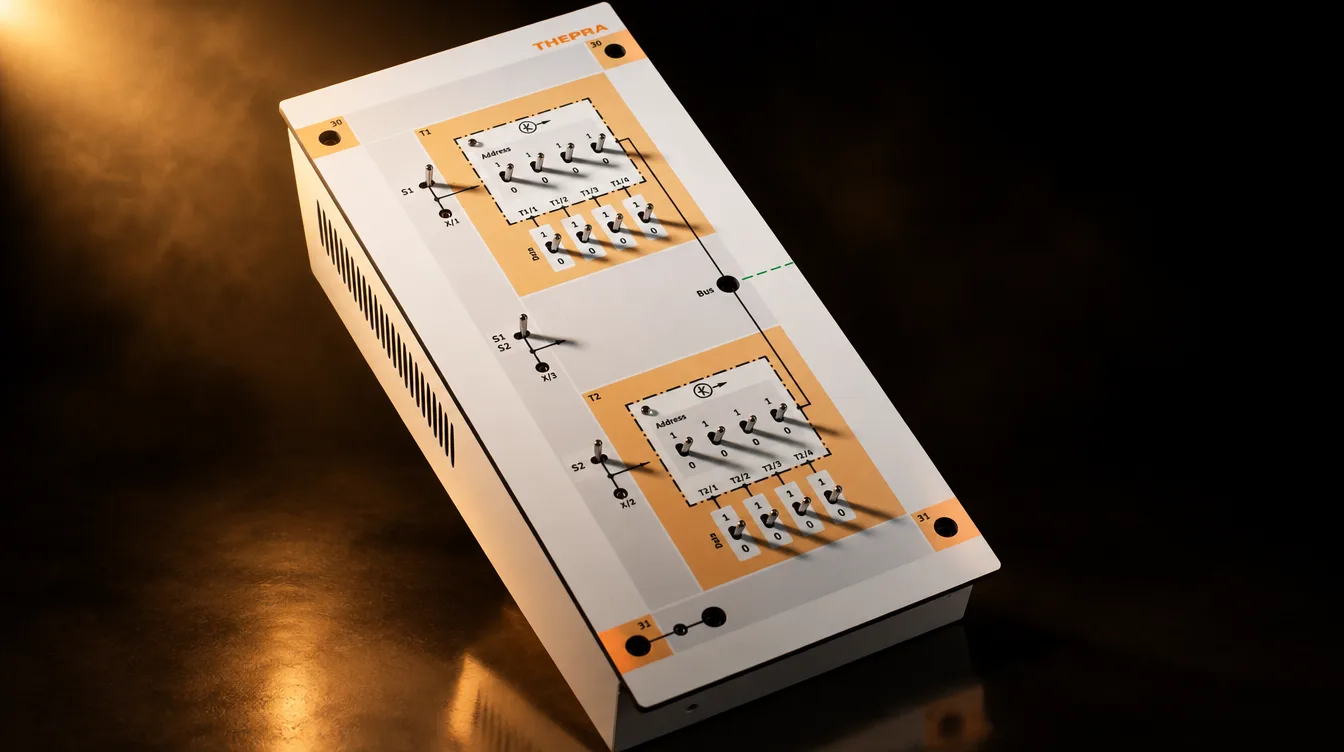
TP-Lab Bus Fundamentals 2.0, Art.-Nr. 12 031 050 — das Gerät der Vorgängergeneration

For existing customers

Your existing trainers get their course free of charge.

Buy one trainer from Generation 4.0 and the e-learning courses for every predecessor model you already own are unlocked with it. At no extra cost. For the TP-Lab Bus Fundamentals 2.0 (Art. No. 12 031 050) that means 13 tasks in 21 chapters, around 5 hours of hands-on work — on the same domain, with the same progress.

Tell us your inventory and have it unlocked arrow_forward
TP-Lab Serial Communication 4.0 for Your Workshop

We'll bring it to you.

A demonstration lasts about two hours. You send a message yourself, trigger a collision, and watch it on the oscilloscope.

To take away

The flyer as a PDF.

Specifications, benefits, technical data and the task list — two pages, exactly as printed.

Download product flyerdownload
Exklusiv vorab

Als Erste/r informiert über TPGO

Melden Sie sich jetzt exklusiv an: Wir schicken Ihnen Neuigkeiten, Termine und Unterlagen zu TPGO, unserer Lernplattform für die Kfz-Ausbildung — ohne großes Formular.

Datenschutzerklärung